
While an unresponsive phone touchscreen can be quite irritating, there are multiple ways this issue can be resolved
With advanced software and hardware, modern smartphones are designed to ensure a seamless, hassle-free experience. However, it is also true that the more complex a system becomes, there could be a possibility for bugs and errors. One such issue that can make you feel completely defeated is an unresponsive phone screen. This blocks complete access to your phone, making it a highly frustrating experience. Let's take a look at how to fix phone screen unresponsive touch and understand the reasons that could be causing it.
[caption id="attachment_159044" align="aligncenter" width="418"]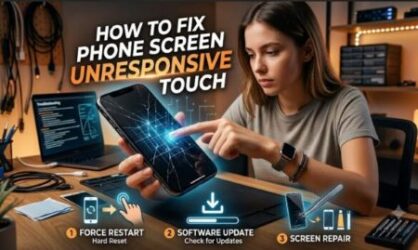
How to fix phone screen unresponsive touch
Before you proceed to fix phone screen unresponsive touch, it is important to do some quick checks first. For example, it is important to first clean the screen. You can simply use clear water or a specialized screen cleaner on a microfiber cloth to remove dirt, oil, moisture, fingerprints, etc. Sometimes, such debris could be playing a contributing role in the screen unresponsive touch.
If you are using a screen protector and the screen is not responding, you can try to remove the screen protector and test the screen. In case your phone was exposed to water or other liquids, first clean it properly and ensure it is dry. Wait for a few hours so that any remaining moisture evaporates properly. If the phone had dropped from a height, check to see if there are any cracks or loose items.
Restarting the phone
In most cases, restarting the phone should fix the phone screen unresponsive touch. For Android devices, you need to press and hold the Power button and tap Restart. If this does not work, you need to force a restart. For this, you need to hold the Power and Volume Down button together for around 10-30 seconds. A vibration feedback will tell you that the phone is restarting.
A similar approach applies for force starting iPhone.
- iPhone 8 or later: Quickly press Volume Up > Volume Down > Hold Side button until Apple logo appears.
- iPhone 7: Hold Volume Down + Power.
- iPhone 6s or earlier: Hold Home + Power.
Use Safe Mode on Android devices
Sometimes, a bug in any one of the apps installed on your Android device could be causing the touchscreen of your phone to malfunction. To find if this is the case, you need to boot using the Safe Mode. You need to press and hold the Power button until you see the 'Power Off' option. Next, you need to long-press the Power Off option and select Safe Mode or Restart in Safe Mode.
Once your phone reboots in Safe Mode, you can check if the screen is working. Safe Mode temporarily disables all third-party apps, so that you can conclude that an app is causing the unresponsive phone screen. You can try uninstalling the last app you had installed to see if that makes a difference.
Other software solutions for phone screen unresponsive touch
To avoid such issues, it is important to keep your phone operating system updated. If you have been ignoring system updates on your phone, it is time to install them now. Another thing you need to do is to check how much storage you have left. If you have only around 10-20% storage left on your phone, this too can cause phone screen unresponsive touch issues.
You also need to check if the touch sensitivity is correct on your phone. Screen calibration is another option you can try. In case of an iPhone, you need to disconnect all accessories like chargers and headphones. Next, you need to check for iOS updates and install them.
Factory reset - The last resort
If nothing works, then factory reset is the last software option you can try. Make sure you back up your data before doing a full factory reset.
Hardware issues
If software solutions fail to fix phone screen unresponsive touch, the issue is likely with the hardware. For example, you may notice that some parts of the screen are working whereas other parts are not responding to touch. Similarly, you may be able to see the screen, but the touch is not working. You can try tapping the corners gently to see if it makes any difference. However, in such cases, it is highly recommended that you seek professional repair services.